Image to 3D · up to 10 images
Turn your images into 3D models.
Drop up to 10 photos, renders or concept images. Each one gets its own textured GLB; orbit a result first, then convert to FBX, OBJ, STL and 3MF in your own tab. We keep the job records — the meshes go to your machine.
Beta6.3 free pointsConvert in browser
What goes in
- One object on a plain or soft background
- Renders, concept art and pack shots you own
- Evenly lit photos with the whole object visible
PNG, JPG or WebP up to 10 MB, with an optional prompt to steer the rebuild. It cannot invent the back of an object from a cropped silhouette, and reflective or heavily occluded surfaces come out soft.
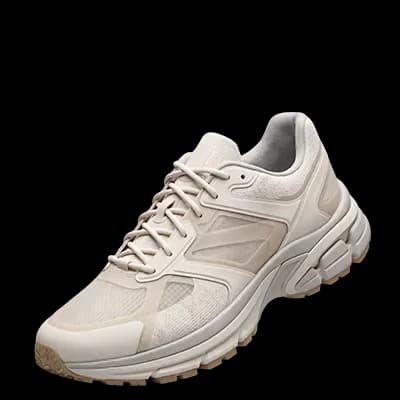
Upload, orbit, export
The mesh opens in the viewport before anything downloads. Keep the GLB, convert it in the tab, or pack it with the maps.
Queue with progress3 points / renderRefund on failure
Beta: jobs run through an external image-to-3D pool. Up to 10 uploads per batch, one textured GLB per image, roughly a minute or two per job — the queue shows the pool's own stage as it works. On a server with no pool configured, jobs say so plainly and no points are taken.
Output
What comes back
Up to 10 images in, one real file each — the same formats the grabbers hand over, converted in your browser.
GLB
Textured result
FBX
Unity, Unreal
OBJ
Blender, print prep
STL
3D printing
3MF
Modern slicers
ZIP
Mesh + maps
Steps
How it runs
- 1
Pick the images
Click, drop or paste up to 10 PNG, JPG or WebP files into the workspace.
- 2
Start the batch
Three points per image. Add an optional prompt, then watch the pool build each mesh.
- 3
Preview then export
Orbit the result, keep the GLB, or convert and zip in the browser.
What you get
- A textured GLB you can orbit before saving
- FBX / OBJ / STL / 3MF convert in the browser
- One zip with the mesh and every map returned
- Job history with status, sizes and points used
FAQ
Questions
What image works best?+
One object, filling the frame, plain background, soft even light. The whole photo is sent — a tall or wide shot is letterboxed to a square, not cropped.
Can I upload several images at once?+
Yes — up to 10 per batch. Each image is a separate job and produces its own GLB, so 10 images cost 30 points and run through the same queue.
What do I get back?+
One textured GLB — the PBR mesh with its material packed inside. FBX, OBJ, STL and 3MF are converted in your tab with the same assimp build the grabbers use.
How long does a job take?+
Roughly a minute or two. The tab polls the queue and the progress bar follows the pool's own stage reports.
Does it cost points?+
3 points per Image to 3D render. A link grab costs 0.1 points; a job that fails at the pool is refunded.
Can I describe what I want?+
Yes, with an optional prompt next to the image. It guides the rebuild; the image stays the source of truth.
Where does my image go?+
Only to the generation pool, then the mesh comes back through our server to your browser. The account keeps the job record: name, status, file sizes.
More answers in FAQ.
Have an image? Make it printable.
Start free with 2 renders + 3 link grabs. Three points per render, one textured mesh in your browser.